Dev blog · Best of · 2026-11-28
Best browser MCP servers for coding agents: Playwright, Chrome DevTools, browser-use, Browserbase
Giving a coding agent a browser is the fastest way to stop it guessing whether the page works. Four servers cover almost every need, and they’re less interchangeable than their names suggest. One drives clicks, one reads the browser’s insides, two run browsers in someone else’s cloud.
Whichever you pick, Calyban installs it into Claude Code, Codex, Cursor, GitHub Copilot, Gemini CLI and Claude Desktop in one click, and shows you later which one your agent actually uses. Free, no account.
Calyban’s take
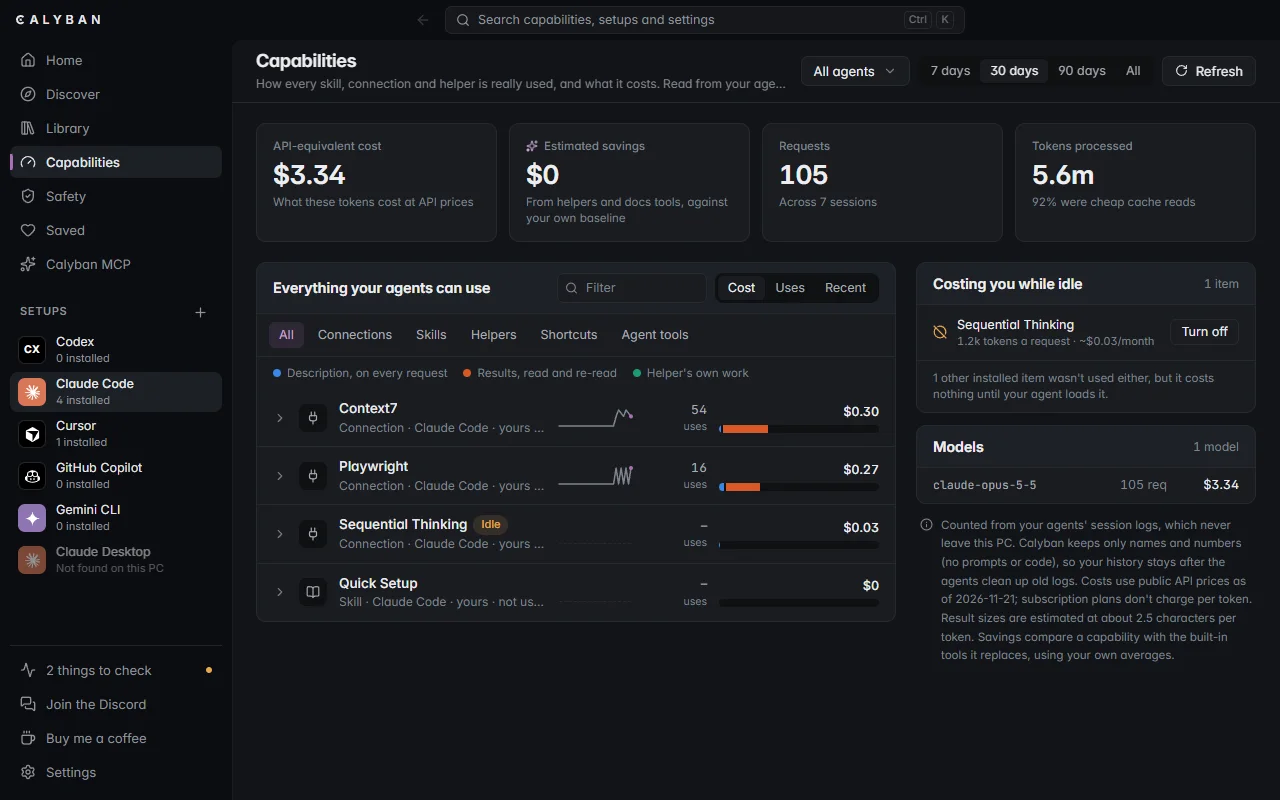
All four are in the catalog. The Engineering kit is a sensible starting point if you want a browser server alongside the usual development tools. Capabilities is worth a look after a week: browser servers have big tool lists, and it shows what each one adds to every request and how often your agent actually opens a browser.
How we picked: official or most-used servers in each category, all live in the catalog today, sorted by what they’re for rather than by stars.
Playwright (Microsoft): click through your app
Playwright drives a real Chromium, Firefox or WebKit: navigate, click, type, fill forms, take accessibility snapshots and screenshots. It works from the page’s accessibility tree, so the agent targets “the Sign in button” rather than pixel coordinates.
Use it for: “log in, add an item to the cart, and tell me what breaks.”
claude mcp add playwright -- npx -y @playwright/mcpChrome DevTools (Google): see what the browser sees
Chrome DevTools is built by the Chrome DevTools team and exposes the inspector: console messages, network requests, performance traces, and the page itself.
Use it for: “why is this page slow?” and “which request returns the 401?” It’s the debugger next to Playwright’s test runner. Different job.
claude mcp add chrome-devtools -- npx -y chrome-devtools-mcpbrowser-use: hand off a whole web task
browser-use is a hosted service with cloud browsers that run web tasks end to end: fill forms, extract data, follow multi-step flows, including sites that block ordinary automation. It’s a remote server at https://api.browser-use.com/v3/mcp and needs a browser-use API key in the X-Browser-Use-API-Key header.
Use it for tasks on other people’s websites, not for testing your own localhost.
Browserbase: cloud browsers you drive
Browserbase runs headless browsers in the cloud for your agent to control, which keeps scraping and automation off your machine and gives you session recordings. It runs locally through npx and needs BROWSERBASE_API_KEY and BROWSERBASE_PROJECT_ID.
Use it when scraping at volume or when you need a clean browser per run.
Which one should you install?
- Testing your own web app: Playwright, plus Chrome DevTools when something’s slow or failing.
- Automating tasks on external sites: browser-use or Browserbase.
- Just one: Playwright. It covers the most ground for a coding agent.
Start there.
For writing repeatable test scripts instead of clicking live, Anthropic’s webapp-testing skill is the other half of this toolkit.
Calyban is free for Windows and Linux at /#download. Tell us on Discord which browser server your agent uses most.