Dev blog · Guides · 2026-11-21
What Calyban's safety check looks for: all 19 rules
Every skill, subagent, slash command and MCP server goes through a check before Calyban writes it into your agent. Plugins are checked right after Claude Code or Codex downloads them, because those agents fetch plugins themselves. We’ve called it a safety check since the first release. This post shows exactly what it does, so you don’t have to take the word “safe” on trust. All of it.
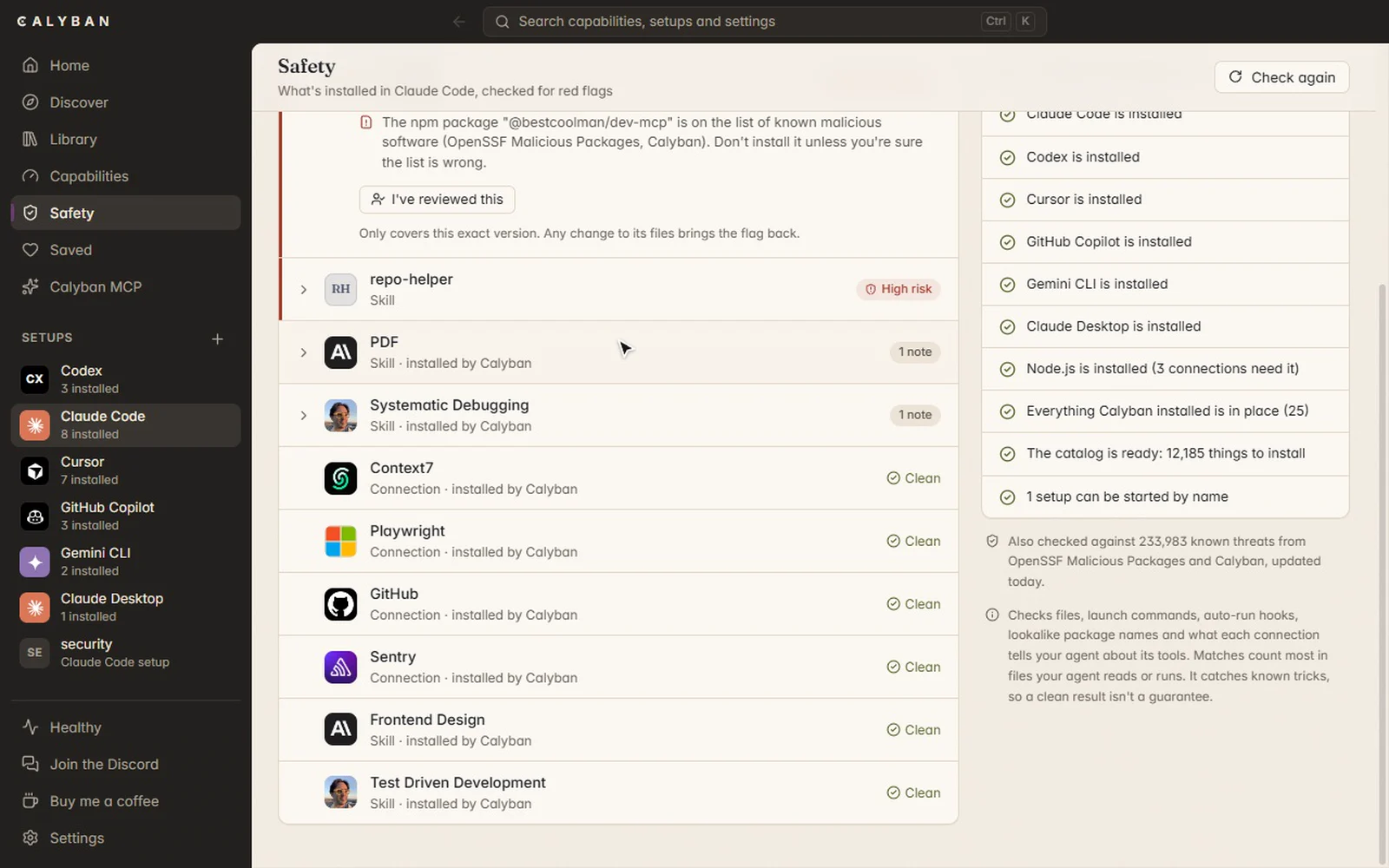
The short version: it’s a fast pattern scan for the dangerous things that actually show up in agent add-ons. Calyban scans skill files before copying them. Open the Safety page to check installed items, including plugins after download. The 1.3 safety changes cover file roles and tool descriptions. A clean result means none of the 19 rules matched and no package is on the known-malware list.
What gets scanned
Two different things, because add-ons come in two shapes.
Files. Skills, subagents and slash commands are folders of text: a SKILL.md, some reference docs, sometimes scripts. Calyban downloads them from GitHub at a pinned commit, then reads every file before anything is copied into your agent’s folder.
Launch commands. An MCP server is usually a command your agent runs, like npx -y @notionhq/notion-mcp-server@2.6.1, or a URL it connects to. Calyban checks that command or URL, plus the environment variables and headers that go with it.
The Safety page runs the same checks over everything your agents already have, including things you installed by hand without Calyban.
The high-risk rules (these block the install)
| Rule | What it catches |
|---|---|
| Download-and-run | curl … | sh, iwr … | iex and friends: fetching a script and running it in one go |
| Reverse shell | Code that hands control of your machine to a remote one |
| Hidden text | Invisible or direction-changing Unicode characters, the usual way to hide instructions from a human reader |
| Prompt injection | Text telling the agent to ignore its instructions, or to act “without telling the user” |
| Obfuscated execution | Decoding a hidden blob and executing it (eval(atob(…)), -EncodedCommand, base64 -d | sh) |
| Credential theft | Reading a secret store (below) and sending data out, in the same file |
| Privileged container | An MCP server started as a Docker container with full access to your machine |
The medium-risk rules (flagged, not blocked)
| Rule | What it catches |
|---|---|
| Credential access | Reading specific secret stores: SSH keys, ~/.aws/credentials, Codex and Claude logins, browser password files, crypto wallets |
| Destructive command | rm -rf ~, formatting a drive, force-pushing over main |
| Persistence | Setting something to run at startup, on a schedule or from your shell profile |
| Permission bypass | Turning off the agent’s own prompts or sandbox (--dangerously-skip-permissions, approval_policy = "never") |
| Embedded secret | What looks like a real API key or private key, pasted into the files |
| Encoded blob | A long unreadable encoded string in a doc or small script |
| Compiled program | An .exe, .dll or other binary that can’t be reviewed as text |
| Unencrypted connection | An MCP server reached over plain http:// (localhost is fine) |
The notes (shown, never blocking)
| Rule | What it tells you |
|---|---|
| Sends data out | A POST or upload to a web address: check where and what |
| Includes scripts | The skill ships script files your agent may run, listed by name |
| Unpinned version | The server runs @latest, so its code can change after you’ve looked at it |
| Plain-text secret | An API key is stored as plain text in the agent’s config |
Two of these are deliberately narrow. “Credential access” only matches real secret stores, not the word “password”, because normal docs say “password” constantly. And reading a secret is only high risk when the same file also sends data out. A skill that reads your SSH config to help you fix it shouldn’t get the same verdict as one that reads it and posts it somewhere.
What happens when something matches
By default (Settings → Safety → Stop it), a high-risk finding stops the install and tells you why in plain words, with the file and line. You can still install it if you trust it.
Warn me shows findings without stopping. Don’t check turns the scan off. Few people should.
Medium findings and notes appear on the item’s Safety tab and on the Safety page. They don’t block, because most of them have honest reasons to exist.
What each kind of item gets
- Skills, subagents, slash commands and plugins: every file is scanned against the 19 rules.
- MCP servers started with
npxoruvx: the launch command is scanned, the package is checked against the known-malware list and for lookalike names, and the catalog pins an exact version wherever the package allows it, so it can’t change under you. - Hosted MCP servers: the address must be
https, so nothing travels in the clear.
For anything that will touch production or your keys, add your own five minutes on top. This five-minute check is what we do.
Why publish every rule
A scanner you can’t inspect is a promise. A scanner whose rules are written down is a tool. Seen an attack shape that isn’t here? Tell us on Discord with the file. We’ll add a rule and credit you in the release notes.
Calyban is free and runs on your computer. For what to install once you trust what you’re installing, see the best AI security tools for developers. If it saves you an afternoon, a coffee keeps it going.