Dev blog · Guides · 2026-11-21 · updated 2026-11-25
How to see and manage every skill and MCP server across Claude Code, Codex and Cursor
Install a few skills and MCP servers, try a second coding agent, add a couple more for a client project. Three months later nobody knows what’s loaded where. One agent has a server you forgot about, another has an old copy of a skill, and a project file you committed has a third.
This guide shows how to get the full picture back: the command that lists everything in each agent, how to update and switch things off, and the one-screen version if you’d rather not run six commands.
The short version:
| Agent | List MCP servers | List skills |
|---|---|---|
| Claude Code | claude mcp list |
/skills in a session |
| Codex | codex mcp list |
The ~/.codex/skills and ~/.agents/skills folders |
| Gemini CLI | gemini mcp list |
gemini skills list |
| GitHub Copilot CLI | copilot mcp list |
copilot skill list |
| Cursor | Cursor’s settings, MCP section | Cursor’s settings |
| Claude Desktop | Settings → Developer | none on disk |
Why it gets messy
Every agent keeps its own list, in its own file, in its own format. And they overlap in ways that aren’t obvious.
- One file, two agents. A project’s
.mcp.jsonis read by both Claude Code and GitHub Copilot. - One folder, four agents.
~/.agents/skillsis read by Codex, Cursor, Copilot CLI and Gemini CLI, but not Claude Code. - Borrowed skills. Cursor also loads skills from Claude Code’s and Codex’s folders, so “uninstalling” from Cursor can mean deleting from somewhere else.
The full map of where each agent reads skills is in where agent skills go. For MCP files, see Claude Code and Codex and Cursor, Copilot, Gemini CLI and Claude Desktop.
Updating
There’s no shared update command. It depends on how each thing was installed.
- A server started with
npx package@latestupdates itself on the next start. That’s convenient, and it’s also how code you never looked at ends up on your machine. - A pinned server (
package@1.4.2) stays put until you change the number. - A skill copied from GitHub never updates. You pull the repo again and copy the folder over the old one.
- A Claude Code plugin updates through its marketplace:
/pluginin a session.
Switching things off without deleting them
Sometimes you want a server gone for a week, not forever. Some agents can do that, some can’t.
- Codex:
enabled = falseunder the server inconfig.toml. - Gemini CLI:
gemini mcp disable <name>. - Copilot CLI:
copilot mcp disable <name>. - Cursor: the toggle next to the server in settings.
- Claude Code and Claude Desktop: no documented off switch in the file. Remove it and add it back later.
For skills, the usual trick is moving the folder somewhere the agent doesn’t look.
Removing things
claude mcp remove, codex mcp remove, gemini mcp remove and copilot mcp remove handle servers. For skills, delete the folder. Before you do, check whether another agent reads the same folder. See “one folder, four agents” above.
The one-screen version
That’s a lot of commands for “what do I have?”. Calyban, our free Windows and Linux app, puts it on one screen.
- Library lists every skill, MCP server, plugin, subagent and command in each agent, including the ones you installed by hand. Borrowed skills show where they really live (“Loaded from Claude Code’s folder”).
- Switch off pauses anything without deleting it, even in agents with no off switch of their own. Undo turns it back on.
- Updates: Calyban checks what it installed against the catalog, tells you when there’s a newer version, and updates everything in one click. It keeps your API keys, and rolls back if the new version fails.
- Remove uses the recorded install changes to find the associated files or settings. Calyban backs up configuration files it edits. If you have changed a managed entry by hand, review it before removing it.
- Safety scans everything installed, by hand or not. Here’s what it checks.
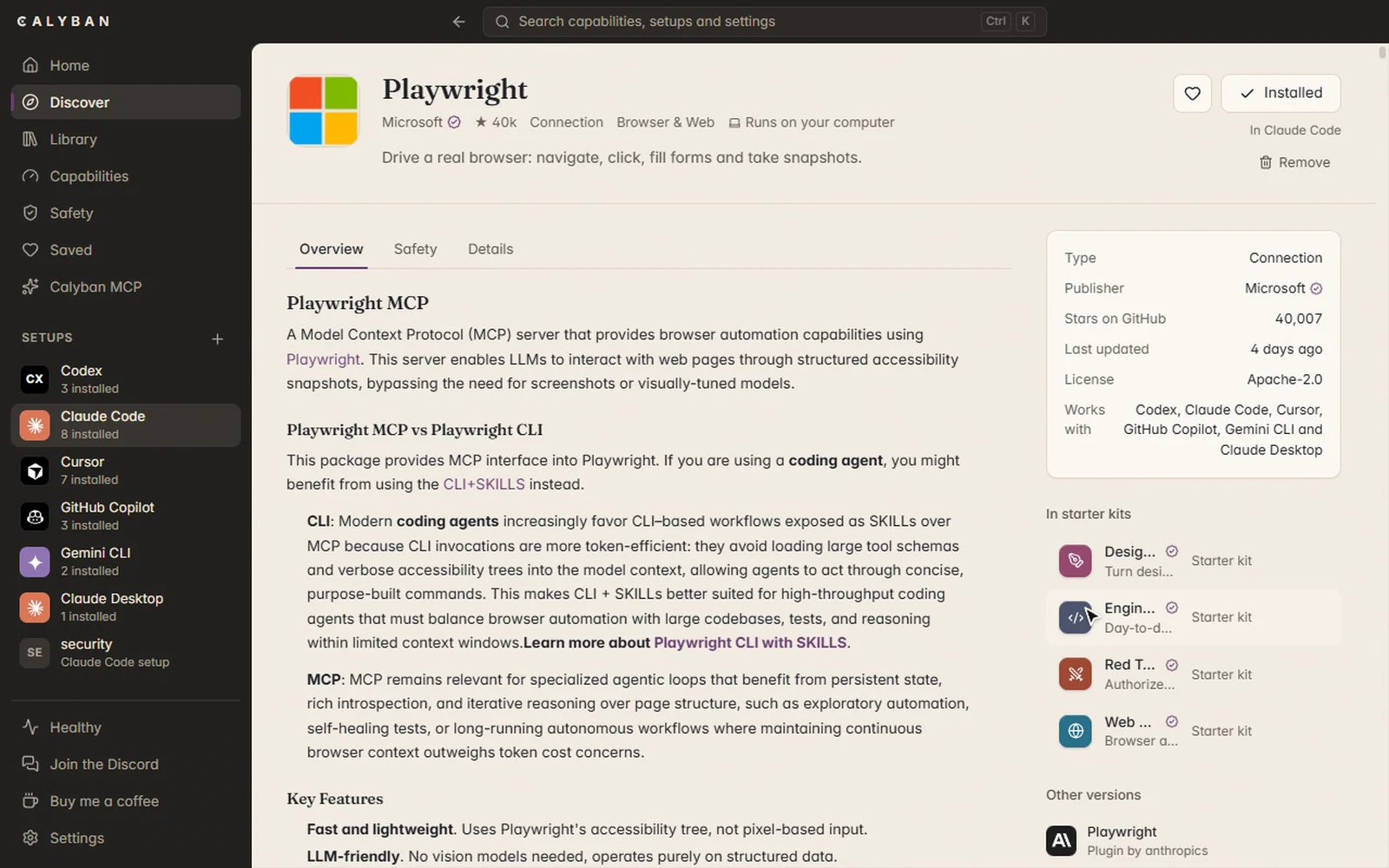
It works with Claude Code, Codex, Cursor, GitHub Copilot, Gemini CLI and Claude Desktop. It runs on Windows and Linux; Mac is in testing.
FAQ
Is there a skills manager built into Claude Code? Claude Code lists skills with /skills and manages plugins with /plugin, but there’s no view across agents, and no off switch for MCP servers.
Can I see which agent a skill belongs to? In the file system, by its folder. In Calyban, each item says which agent loads it and from where.
Will Calyban change things I installed myself? It shows them, and can switch them off if you ask. It never edits or deletes anything it didn’t install.
Running five agents and still losing track? Tell us what’s missing on Discord. Calyban is free. If it saves you an afternoon, a coffee keeps it going.