Dev blog · Best of · 2026-11-20 · updated 2026-11-25
The best AI tools for frontend developers in 2027
AI agents write a lot of frontend code. Out of the box, most of it looks the same: a centred card, a purple gradient, a font nobody chose. The agent isn’t bad at CSS. It just can’t see your design, can’t see the page it built, and has never been told what good looks like.
These tools fix those three things. Every one is free to install (a few need an account with the service), works in Claude Code and Codex (most also in Cursor, Copilot and Gemini CLI), and is in Calyban’s catalog with its own install page.
How we picked: official servers from the company behind the product first, then real GitHub adoption, then whether we’d install it ourselves. Star counts are from November 2026.
Install this list in one click
Everything here is in Calyban, the free desktop app we make. Two of its starter kits cover most of this post:
- Design & Frontend: Figma Context, shadcn/ui, Magic UI builder, Frontend Design, Canvas Design and Playwright.
- Web Dev Starter: Playwright, Context7, Frontend Design and Web App Testing.
Press Install on a kit and Calyban writes the config for Claude Code or Codex (and the parts each agent can take into Cursor, Copilot and Gemini CLI). It checks every file for red flags first and gives you one Undo for the lot. No JSON, no terminal.
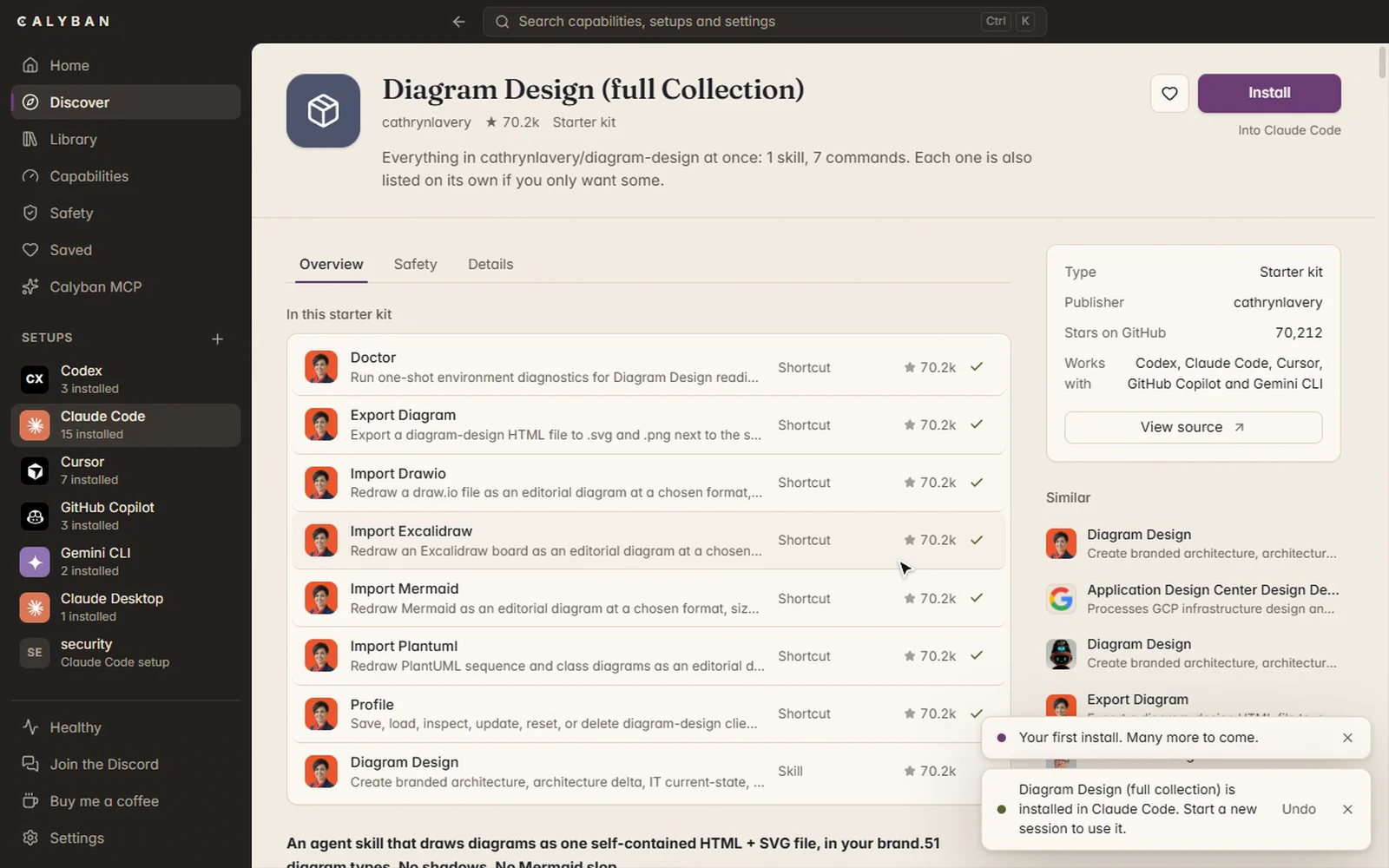
The rest of this post explains each pick, so you know what you’re installing.
Let the agent see your design
Figma MCP server (Figma, official). Your agent reads frames, components, variables and layout straight from a Figma file instead of guessing from a screenshot. It’s a hosted server, so you add a URL and sign in once.
Figma Context (GLips, 16,264 stars). The community alternative, which came before Figma’s own server. It trims Figma’s API output down to the layout and style data an agent needs, which keeps long sessions cheaper. It needs a Figma access token.
Pick one. Running both gives the agent two ways to read the same file and no reason to prefer either.
Let the agent see the page it built
This is the single biggest upgrade on this list. An agent that can open a browser checks its own work.
Playwright (Microsoft, 39,905 stars). The agent drives a real browser: open a page, click, fill forms, read the accessibility tree, take screenshots. It’s what turns “I’ve updated the button” into “I’ve updated the button, clicked it, and the modal opens”.
Chrome DevTools (Chrome DevTools team, 58,363 stars). The other half: console errors, network requests and performance traces. When something is slow or broken in a way you can’t see, this is how the agent finds out why.
Use both. Playwright for doing, DevTools for diagnosing.
Web App Testing (Anthropic). A skill that teaches the agent a method for testing a local app with Playwright: start the server, take screenshots, read the logs, check the UI. The MCP server gives it hands. The skill tells it what to do with them.
Stop the generic look
Frontend Design (Anthropic). The skill most likely to change what your agent produces. It pushes the agent to pick a real visual direction (typography, colour, layout, motion) before writing code, instead of reaching for the same safe defaults every time. If you install one skill from this post, make it this one.
shadcn/ui (shadcn). Lets the agent browse, search and install components from shadcn registries, so it uses the real component and its real API instead of half-remembering one.
Magic UI builder (21st.dev, 6,601 stars). Generates UI components from a description inside your agent, in the spirit of v0. Good for a first draft of a component you’ll then shape by hand.
Tailwind Design System (wshobson/agents). A skill for building a design system on Tailwind CSS v4: tokens, component libraries and responsive patterns. Useful when the project has outgrown utility classes scattered everywhere.
Get the details right
Web Design Guidelines (vercel-labs/agent-skills). Reviews your UI code against a written set of interface guidelines. Ask “review my UI” and you get specific findings: focus states, form labels, touch targets, loading states.
Vercel React Best Practices (same repo). React and Next.js performance rules from Vercel’s engineers: what to render on the server, how to avoid waterfalls, where re-renders come from.
Accessibility Review (anthropics/knowledge-work-plugins). Runs a WCAG 2.1 AA audit on a page or design: contrast, keyboard navigation, touch target size. Pair it with Playwright and the agent can check the live page, not just the code.
Keep the docs current
Context7. Not frontend-specific, but frontend is where it pays off most. Framework APIs change every few months, and the agent’s training data doesn’t. Context7 pulls current docs for the exact library and version you use, so you get the Next.js API that exists today.
A starter set
If you want the short version, install these five and stop:
- Playwright
- Chrome DevTools
- Frontend Design
- Context7
- The Figma server, if your team designs in Figma
The Web Dev Starter kit in Calyban covers three of these five in one click.
Five is plenty. In most agents, each MCP server adds its tool descriptions to every conversation, and an agent with forty tools spends more time choosing than working.
How to install them
Each link above goes to the item’s page with the manual commands for Claude Code and Codex. For the other agents, see MCP servers in Cursor, Copilot, Gemini CLI and Claude Desktop and where agent skills go.
Or use Calyban, a free Windows and Linux app that installs any of them into Claude Code, Codex, Cursor, GitHub Copilot, Gemini CLI and Claude Desktop in one click, runs a safety check first, and gives you Undo. Mac is in testing.
For tools beyond frontend, see the 25 best MCP servers and the best AI coding agents for 2027.
Using something better than what’s here? Tell us on Discord and it goes on the next version of this list. Calyban is free. If it saves you an afternoon, a coffee keeps it going.